How to run an AI agent on a schedule

Pick a scheduler that runs without your laptop, give the agent a self-contained prompt that ends with a written "done" check, and send every run's result to a log and an alert channel. Start with one daily job, cap its cost and retries, and review its runs weekly before you add a second.
Scheduling is how an agent starts working while you are away. It sits in the operations layer of AI engineering for GTM operators, after you can write and test prompts, and before you let workflows edit themselves.
Key points
Schedule an agent when the work is a recurring sweep (stale deals, new signups, yesterday's tickets), not a reaction to one event.
Claude Code cloud scheduled tasks, GitHub Actions, n8n, Zapier and Relevance AI can all start an agent on a timer; they differ on where it runs, minimum interval and timezone.
A scheduler only knows whether a run ended. The prompt has to define and report whether the work got done.
Every run should write one log line and alert a human only on failure.
Cap spend per run and per day, and retry only errors the vendor says are retryable.
When does a scheduled agent beat a triggered one?
Use a schedule when the job is "look at everything that changed since last time"; use a trigger when the job is "react to this one thing now." Picking the wrong one is a common reason an agent feels noisy or late.
Question | Scheduled agent | Triggered agent |
|---|---|---|
What starts it | A clock (daily at 7:00, every Monday) | An event (form fill, new deal, webhook) |
Unit of work | A batch: all records since the last run | One record |
Best GTM fit | Pipeline hygiene, daily research digest, weekly forecast notes, data quality sweeps | Inbound lead routing, instant replies, alert triage |
Main risk | Work waits until the next run | Bursts of events and duplicate runs |
Done check | "Every stale deal reviewed and logged" | "This lead routed and logged" |
Three signs a job belongs on a schedule:
Speed does not matter within the day. A digest built at 6:00 or 7:30 reads the same at 8:00.
The job compares or summarizes. Spotting deals with no activity in 14 days needs a look across many records.
Events would be too noisy. Firing on every CRM field edit wastes runs.
Still deciding which steps an agent should own? The guide on turning a process document into an automation breaks a process into steps first.
Scheduling moves recurring work off your calendar: the same reviews and sweeps run at fixed times instead of whenever someone remembers.

Which tools can run an agent on a schedule?
Choose by where the agent runs and what it must reach, not by schedule syntax.
Option | Where it runs | Schedule options (per vendor docs) | Timezone |
|---|---|---|---|
Claude Code cloud scheduled tasks | Anthropic-managed cloud | Hourly, daily, weekly presets, custom cron, one-off runs; more often than hourly is rejected | Local time for presets; UTC for a bare cron expression |
GitHub Actions running | GitHub runners | Cron, "once every 5 minutes" at the shortest | UTC by default |
n8n Schedule Trigger | n8n Cloud or self-hosted | Seconds through months, plus custom cron | Workflow timezone, else instance timezone |
Schedule by Zapier | Zapier | Every month, week, day or hour, plus custom intervals | Your Zapier account timezone |
Relevance AI scheduled triggers | Relevance AI | Daily, weekly, monthly, custom dates, six-field cron | Your account's configured timezone |
Claude Code: cloud, Desktop or /loop
Anthropic's docs on cloud scheduled tasks describe one as "a saved Claude Code configuration: a prompt, one or more repositories, and a set of connectors, packaged once and run automatically." They keep working "when your laptop is closed," on Pro, Max, Team and Enterprise plans, and are in research preview. Create them at claude.ai/code/routines or with /schedule.
Anthropic's scheduling comparison sets the split: "Use cloud tasks for work that should run reliably without your machine. Use Desktop tasks when you need access to local files and tools. Use /loop for quick polling during a session." Session loops do not suit daily jobs: "Recurring tasks automatically expire 7 days after creation."
Cron or GitHub Actions running a headless agent
Claude Code runs non-interactively with -p, so any scheduler can start it. GitHub's schedule event docs add two rules: "Scheduled workflows will only run on the default branch," and in a public repository they are "automatically disabled when no repository activity has occurred in 60 days."
n8n, Zapier and Relevance AI
The n8n Schedule Trigger runs "workflows at fixed intervals and times," once you "save and publish the workflow." Schedule by Zapier "does not count towards your task usage." Relevance AI's scheduled triggers are set in the agent's Triggers section. For a deeper comparison, see Relevance AI vs n8n vs Zapier.
How do you write a scheduled task prompt with a clear done check?
Write the prompt as if nobody will read the conversation, because nobody will. Anthropic's cloud task docs say "the prompt must be self-contained and explicit about what to do and what success looks like."
The done check belongs in the prompt because a Succeeded run only means the session ended cleanly: "These outcomes say how the session ended, not whether Claude completed the work your prompt describes."
Build the prompt in six parts:
Scope. Which records, from which system, since when.
Job. What to do with each record, in one sentence.
Limits. What the agent may write, and what it must never touch.
Done check. A countable statement of finished work.
Report. One structured line written to the log, every run.
Exception rule. When to alert a human instead of guessing.
An illustrative daily pipeline hygiene prompt:
The zero-and-ceiling rule catches a broken query and a runaway filter. Test it against past data first with the method in testing an AI workflow before you trust it. If several scheduled agents share instructions, package them once as described in how to create a Claude skill.
How should a scheduled agent log its work and alert you?
Log every run with the same columns, and alert only when the done check fails. Daily "all good" posts train people to ignore the channel.
Column | Example (illustrative) | Why it matters |
|---|---|---|
Run time | 2026-10-27 07:12 | Late or skipped runs |
In scope / done | 42 / 42 | The done check |
Errors | 0 | Weekly trend |
Status | DONE | One filter field |
Cost | Run output estimate | Spend drift |
Each platform keeps its own record to check against:
Claude Code cloud tasks. Each run opens as a full session, and the History list marks failed runs with Error. In the CLI you can ask
/schedule why did my nightly review do nothing this morning?Headless Claude Code. "Claude Code exits with code 0 on success and a non-zero code when the run fails," so the script can post the alert.
Relevance AI. Errors from scheduled runs are logged, with details in the agent's task history.
n8n. An error workflow starting with the Error Trigger node runs when an execution fails and can send email or Slack alerts.
The guide on a Notion second brain for AI agents covers keeping logs where people and agents can both read them.
How do you handle failures and retries?
Retry temporary errors, never permanent ones, and never let a retry write twice. A duplicate email often does more damage than the first failure.
Sort failures into three buckets:
Temporary platform errors. Anthropic's rate limits docs say "When the response has a
retry-afterheader, wait that many seconds before retrying." Headless Claude Code emits asystem/api_retryevent before it retries a retryable error.Errors retrying cannot fix. The same page says the spend-cap 429 has no
retry-afterheader and "Retrying, including the SDK's automatic retries, fails until access resumes." Expired logins belong here: a cloud task missing its GitHub connection skips runs for up to 72 hours, then turns off.Work errors. The run finished but the done check failed. Alert a person with the counts instead of retrying.
Make every write idempotent before adding retries: tag each record touched with the run date and skip anything already tagged today, so a rerun finishes the job instead of repeating it.
Watch for missed runs too. GitHub warns "The schedule event can be delayed during periods of high loads," and Zapier says it "does not guarantee your Zap will trigger at the precise minute you set."
This is the operator side of my work: I build scheduled agents like these for my own systems, and I do the same for SaaS revenue teams (lead routing, CRM cleanup, pipeline reporting) in a 90-day AI RevOps Sprint for Series A and B SaaS. Contact me to get yours scoped.
How do you control cost and rate limits?
Set a ceiling per run and per day, and schedule at an odd minute.
Claude Code cloud tasks "draw down subscription usage the same way interactive sessions do," with a limit of 100 scheduled runs per hour per account.
Headless Claude Code with
--output-format jsonreturnstotal_cost_usd, a client-side estimate that "can differ from your actual bill." The CLI also has a--max-budget-usdcap.Relevance AI has a "Max daily Scheduled Triggers" setting that defaults to "No limit"; lower it to control costs.
Anthropic API acceleration limits: "increase your traffic gradually and maintain consistent usage patterns."
Anthropic's docs say a cloud task scheduled exactly on the hour "can start several minutes late," and suggest a time like 9:07. Check timezones too: a bare five-field cron in a cloud task and GitHub schedules both run in UTC, while Zapier uses "the timezone set in your Zapier account, not the timezone set in your Zap." Relevance AI's cron uses six fields in AWS EventBridge format, including a year, so a five-field expression copied from another tool will not work.
What does a weekly review routine look like?
Spend 15 minutes a week on the log and a few full runs: the log shows what failed, transcripts show why.
Count runs against the schedule: any missing or late?
Read every INCOMPLETE run
Open two random DONE runs and check the output, not just the counts
Compare cost per run to last week
Remove connectors and permissions the task no longer needs
Turn new failures into test cases before changing the prompt
The connector step matters on Claude Code cloud tasks: all connected connectors are included by default, and the docs say to "Remove any the task doesn't need: Claude can use an included connector during a run, including writes."
Once an agent passes review for several weeks, it can propose its own prompt fixes for approval, the subject of loop engineering for AI workflows. For a scheduled job that feeds reps account notes each morning, see building an AI research agent for sales.
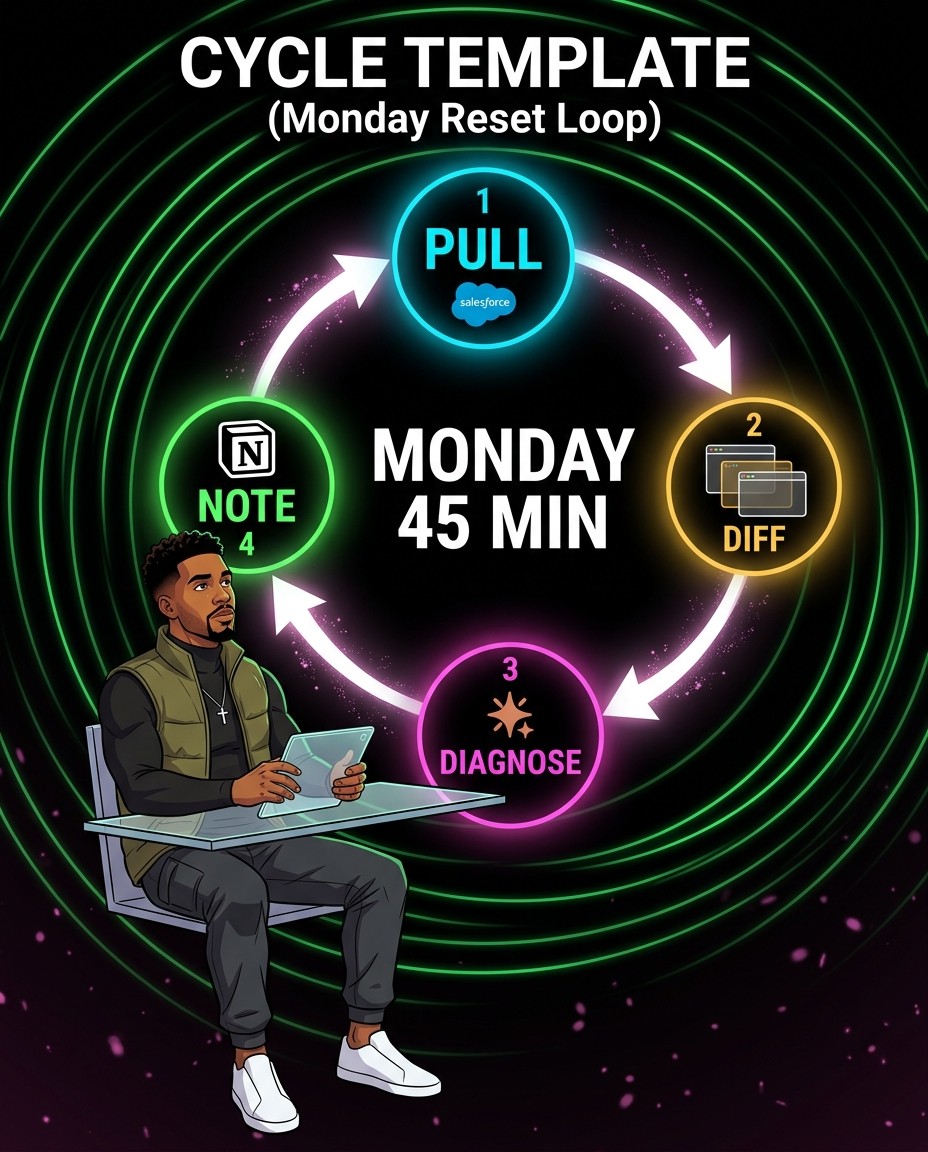
A fixed weekly reset keeps scheduled agents honest: pull the runs, compare them with last week, diagnose failures and write a short note.
What are the common mistakes?
Broken scheduled agents usually look healthy on the dashboard.
Trusting the green status. Succeeded means the session ended, not that the work got done.
Running daily jobs from a laptop session. Session loops expire after seven days.
Forgetting to publish. An n8n workflow with a Schedule Trigger must be saved and published to run.
Mixing timezones. UTC cron in one tool and account time in another shifts runs by hours.
Retrying writes that are not idempotent. The rerun sends the follow-up twice.
Leaving every connector attached. The agent can write anywhere it can reach.
FAQ
Can Claude run a task every day automatically?
Yes. Claude Code cloud scheduled tasks run daily in Anthropic's cloud on Pro, Max, Team and Enterprise plans.
What is the shortest interval for a scheduled agent?
It depends on the tool. Claude Code cloud tasks reject cron more frequent than hourly; GitHub Actions allows every 5 minutes; n8n supports seconds.
Should I use cron or a no-code scheduler?
Use GitHub Actions if the agent lives in a repository; otherwise use the tool where the workflow already lives.
How do I know a scheduled agent did its job?
Put a countable done check in the prompt, log it every run, and alert when the counts do not match.
What happens if a scheduled run fails?
Retry temporary errors such as a 429 with a retry-after header. Alert a person for spend caps, expired logins and failed done checks.
How many scheduled agents should I start with?
One. Run it for a few weeks with a weekly review before adding the next.
Want a hand putting your first agent on a schedule?
If you would rather build the scheduler, done check and run log with someone alongside you, see how I work or book a short intro call and we can pick the first job to automate.
Running revenue at a Series A or B SaaS company? Ask about the 90-day AI RevOps Sprint. I take two clients at a time.
About the author: Kevin Payne is an AI engineer and GTM operator who installs AI workflows for B2B teams. He has 10+ years in B2B SaaS demand generation and RevOps across Techstars, a16z and YC portfolio companies, and his writing has appeared in HubSpot, GetResponse, Outbrain and more.


