The GTM Engineer Tool Stack: What Tools Do GTM Engineers Use?

GTM engineers use a layered stack: a data and enrichment tool such as Clay, a CRM such as HubSpot or Salesforce, an automation platform such as n8n or Zapier, AI models and agents such as Claude, a sequencing tool, a knowledge base for context and logs, and an analytics layer. Job posts name Clay, HubSpot and Salesforce most often.
Key points
Think in layers, not logos. Most stack problems come from two tools doing the same job.
Clay, HubSpot, Salesforce, Outreach, Zapier and n8n show up most in GTM engineer job posts, alongside SQL and Python.
AI agents are now part of the job description, so model access and tool connections count as their own layer.
A solo GTM engineer can start on free tiers. A Series A or B team needs an owner per layer and one place for logs.
New to the role? The step-by-step path to becoming a GTM engineer covers skills before tools. The full list of what I build on, with notes, lives on my stack page.
Which tools show up most in GTM engineer job posts?
Clay, HubSpot, Salesforce, Outreach and Zapier lead most counts, with n8n, Python and SQL close behind. The exact order depends on the sample.
Bloomberry's Henley Wing Chiu analyzed GTM engineering job posts and calls Clay "The most popular tool used by GTM Engineers." Its counts for other tools:
HubSpot: 52% of GTM engineering jobs
Outreach: 49%
Salesforce: 45%
Zapier: 39%
Apollo: 29%
n8n: 28%
Gong: 23%
SQL and Python: 38% each
RevGuild's comparison of RevOps, GTM engineer and analytics engineer roles looked at 42 US GTM engineer postings from one week in August 2026 and got a different order. In RevGuild's sample, Clay appears in 67% of GTM engineer postings, Salesforce in 57%, Zapier, n8n or Make in 45%, Python in 43%, SQL in 38% and HubSpot in 26%.
The two samples disagree on HubSpot, which is normal for small counts. Both agree on the shape: one enrichment tool, one CRM, one automation platform and enough code to read an API response.
RevGuild also found AI agents in 86% of GTM engineer responsibility sections, which is why models and agents get their own layer here.
What are the layers of a GTM engineer tool stack?
A working stack has seven layers. Each answers one question: where data comes from, where it lives, what moves it, what reasons over it, what sends it, where context and logs sit, and how you measure results.
Layer | Popular tools | What it does | Free tier or starting price |
|---|---|---|---|
Data and enrichment | Clay, Apollo, LeadFuze | Finds accounts and contacts, adds firmographic and contact data, scores fit | Clay lists a free plan on its pricing page |
CRM | HubSpot, Salesforce, Breakcold | System of record for accounts, contacts, deals and activity | HubSpot's free CRM is "100% free with no expiration date"; Starter starts at $15 per month per seat |
Automation and orchestration | n8n, Zapier, Make | Moves data between apps on triggers and schedules | Zapier's free plan includes 100 tasks per month; Professional starts from $19.99 per month. n8n's cloud Starter plan is €20 per month billed annually |
AI models and agents | Claude, OpenRouter, Relevance AI, Composio | Reads, classifies, researches and drafts; connects agents to apps | Composio's Hobby plan is $0 with 100,000 tool calls per month; Pro is $29 per month |
Sequencing and sending | Outreach, Salesloft, Apollo, Emailable | Runs multi-step email and call sequences; checks addresses before sending | Emailable includes 250 free credits; 5,000 credits cost $38 |
Knowledge base and logging | Notion, Slack | Holds ICP, offers and rules; records runs and approvals | Check vendor pricing |
Analytics | Databox, Looker, Gong | Tracks pipeline metrics, dashboards and call insights | Check vendor pricing |
Prices change often, so confirm on each vendor's page before you buy.
Data and enrichment
This layer turns a list of domains into rows you can act on. Clay combines data sources and AI steps in one table. Apollo and LeadFuze cover contact data when you need a simpler source.
CRM
The CRM is where every other layer reads and writes. HubSpot's FAQ says its free CRM covers two users and 1,000 contacts, which suits early teams. Salesforce is common at larger companies, and Breakcold is a lighter CRM for small sales teams.
Automation and orchestration
Zapier is the quickest way to connect two apps. n8n gives you more branching, code steps and the option to self-host, since the n8n pricing page notes a standard self-hosted version is available on GitHub. The Relevance AI vs n8n vs Zapier guide covers which one fits which job.
AI models and agents
Claude handles reading, research and drafting. OpenRouter lets you route each step to a different model through one API. Relevance AI builds agents with approval steps, and Composio connects those agents to apps like Gmail, Slack and your CRM with scoped permissions.
What does the knowledge base and logging layer do?
It gives every agent and automation the same facts and records what each run did. Without it, each workflow carries its own copy of your ICP, and nobody can trace a bad email to its cause.
Most GTM tool lists skip this layer. In the GTM engineering work I do with clients, it is usually the first thing I add after the CRM.
What belongs here:
ICP and offer definitions. One page that every enrichment prompt and agent reads before it acts.
Tone and messaging rules. The words you use, the claims you can make, the ones you cannot.
Run logs. What triggered each run, what the agent produced, what a person approved.
Approval queue. A Slack channel or Notion view where drafts wait for a human before they send.
Notion works well because people edit it directly and agents can read and write it. The guide to using Notion as a company second brain for AI agents walks through the page structure.
Logs also show whether a weak sequence failed on data, prompt or timing. The loop engineering guide shows how to turn those logs into weekly fixes.
What is a good starter stack for a solo GTM engineer?
Start with free tiers in five layers and add paid seats only when a workflow proves it pays for itself. A solo builder needs breadth more than scale.
This is an illustrative starter stack, not a prescription:
Layer | Starter pick | Why |
|---|---|---|
Data and enrichment | Clay free plan | Learn waterfall enrichment and AI columns on small lists |
CRM | HubSpot free CRM | Free, common in job posts, enough for a portfolio project |
Automation | Zapier free plan or self-hosted n8n | Zapier for speed; n8n if you want code steps and control |
AI models and agents | Claude, plus Composio Hobby | Drafting and research, with app connections on a free tier |
Knowledge base and logs | Notion and Slack | One page for ICP and rules, one channel for approvals |
Skip paid sequencing and analytics until you have real volume. A spreadsheet of sends, replies and meetings is enough at first.
The goal is a demo: a list enriched in Clay, scored, pushed into HubSpot, with an AI-drafted first line and a human approval step. That covers most of what the GTM engineer skills matrix asks for at entry level.
What does a Series A or B team stack look like?
A Series A or B team needs the same seven layers, with an owner for each, a CRM sales leadership trusts, and logs more than one person can read. The jump is mostly about ownership, not new tools.
Typical shape at this stage:
Data and enrichment. A paid Clay plan with credit budgets per workflow, plus one backup data source.
CRM. HubSpot or Salesforce, with a named admin and written field definitions.
Automation. n8n or Zapier on a paid tier, with every workflow named, documented and owned.
AI models and agents. Claude or a model router like OpenRouter, agents in Relevance AI, and Composio for app access with per-user permissions.
Sequencing and sending. Outreach, Salesloft or Apollo, with email verification such as Emailable before any list loads.
Knowledge base and logs. Notion for ICP, offers and run logs; Slack for approvals and alerts.
Analytics. Databox or Looker for pipeline dashboards, Gong if calls drive the motion.
At this size, the AI outbound system build guide is a good reference for how the data, agent and sending layers connect end to end.
Budget for maintenance, not only licenses. Every workflow you ship adds ongoing reviews, fixes and prompt updates.
Before you add a tool, ask whether it strengthens the stack you own or adds another point solution with its own data, budget and governance.

How do you audit a GTM stack for overlap?
List every tool by layer, mark which job each one does, and flag any job done by two tools. Then decide which tool owns that job and turn the other off for it.
Use this checklist once a quarter:
List every paid and free tool your team logs into for pipeline work, including browser extensions.
Assign each tool to one primary layer. If you cannot, it is probably doing two jobs.
Flag duplicate jobs. Two enrichment sources writing to the same CRM field is the most common one.
Check sending overlap. Apollo and Outreach both sending from the same domain can hurt deliverability.
Check automation overlap. Zapier and n8n both updating the same record can overwrite each other.
Map data flow. Draw which tool writes to which CRM field. Any field with two writers needs one owner.
Review seat usage. Cancel seats with no logins in the last 30 days.
Check where context lives. If your ICP exists in three prompts, move it to one knowledge base page.
Confirm logs exist for every automation and agent that touches a customer.
Record decisions in the knowledge base so the next audit starts from the last one.
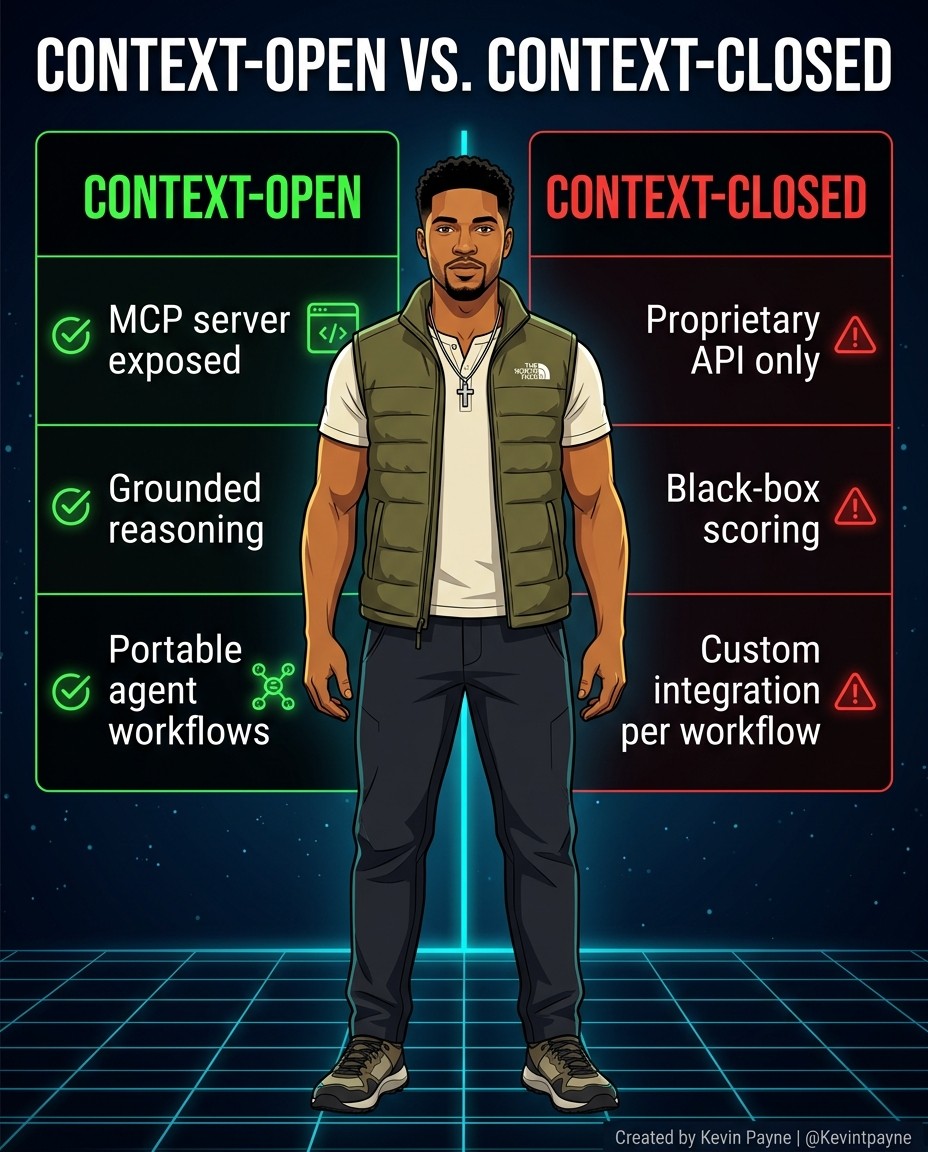
One more test for any AI tool: is it context-open, with an MCP server and portable workflows, or context-closed behind a proprietary API?
What are the common mistakes when building a GTM tool stack?
The most common mistake is buying tools before defining the workflow they serve. Most others come from overlap, missing ownership or skipping the context layer.
Tool-first buying. A new enrichment tool does nothing if no workflow consumes its output.
Two writers on one field. Enrichment and sales reps overwriting each other's job titles or industries.
No email verification. Loading unverified lists into a sequencer risks bounces and domain reputation.
Agents with no approval step. First-touch emails drafted by AI should pass a human review before they send.
Prompts as the source of truth. ICP and pricing copied into ten prompts drift apart over time.
No logs. You cannot tell whether a drop in replies came from data, copy or timing.
Unowned automations. A Zap built by someone who left is a silent risk until it breaks.
Ignoring code. Both RevGuild and Bloomberry count SQL and Python in a large share of postings. Visual tools go further when you can read an API response.
How do GTM engineer tools relate to pay and hiring?
Tool depth shows up in pay. RevGuild reports that Python carries about a 21% pay premium for GTM engineers in its sample, and Clay is a must-have in 44% of the GTM engineer postings with a stated requirements section.
Hiring managers read your stack as proof of the layers you can own. A Clay table feeding a CRM, an n8n workflow with error handling and an agent with a review step covers four layers in one demo.
For pay ranges by level and how tools affect them, see the GTM engineer salary guide. For a plain definition of the role to share with a hiring team, see what a GTM engineer does.
Which tools do I build on?
I build on Notion, Claude, Relevance AI, Composio, Slack and OpenRouter, and I keep the current list with notes on my stack page.
How they map to the layers:
Layer | Tool | Role in the stack |
|---|---|---|
Knowledge base and logs | Notion | ICP, offers, rules and run logs |
AI models | Claude, OpenRouter | Drafting and research; model routing per step |
Agents | Relevance AI | Multi-step agents with approval steps |
Tool access | Composio | App connections with per-user permissions |
Approvals and alerts | Slack | Drafts wait here for a person to approve |
The data, CRM, automation and sending layers change with each team, so I use what the team already pays for where I can.
FAQ
What is the most popular GTM engineer tool?
Clay. Bloomberry calls it "The most popular tool used by GTM Engineers," and RevGuild found it in 67% of the GTM engineer postings it reviewed.
Do GTM engineers need to code?
Some code helps. Bloomberry found SQL and Python each in 38% of postings, and RevGuild found Python in 43% of GTM engineer postings.
Is n8n or Zapier better for GTM engineering?
Zapier is faster for simple app-to-app triggers. n8n suits branching logic, code steps and self-hosting. If you run both, write down which one owns each workflow.
Which CRM should a GTM engineer learn first?
Learn the one in the job posts you want. HubSpot is common at startups and has a free CRM; Salesforce leads at larger companies.
How much does a starter GTM stack cost?
It can start at zero. Clay, HubSpot, Zapier and Composio all list free tiers on their pricing pages, and n8n offers a self-hosted version.
Where do AI agents fit in a GTM stack?
Between your data and your sending layers. Agents research, score and draft, then a person approves before anything reaches a prospect.
Talk through your GTM stack
If you are building your first GTM stack or untangling one that grew too fast, book an intro call and we can map which layers to fix first. Hiring managers who want to cost the manual work first can book a free Leak Call.
About the author: Kevin Payne is an AI engineer and GTM operator who installs AI workflows for B2B teams. He has 10+ years in B2B SaaS demand generation and RevOps across Techstars, a16z and YC portfolio companies, and his writing has appeared in HubSpot, GetResponse, Outbrain and more.


